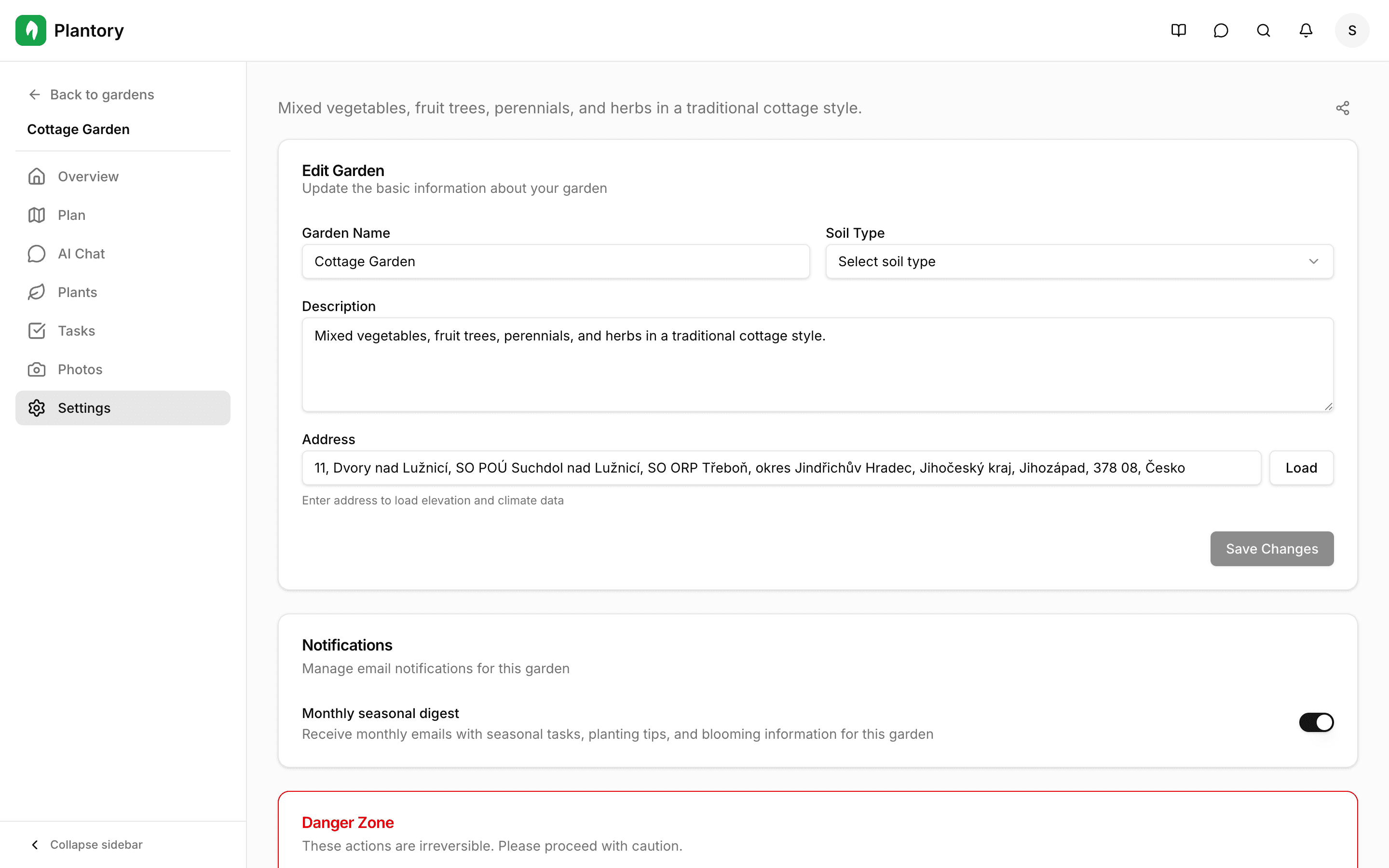
Garden Settings
Configure orientation, scale, and climate settings for accurate planning.
Garden Readiness Checklist
Each garden has a Garden Readiness progress indicator that helps you understand what’s left to configure for accurate planning.
Typical steps include:
- Upload a garden map (cadastral map, satellite photo, or survey plan)
- Calibrate scale so measurements match real distances
- Add garden zones to structure your space
- Add plants to your plan
- Get AI recommendations once zones and plants are in place
The Setup Modal
When you open the Plan tab for the first time, you'll see the setup modal. This guides you through configuring your garden for accurate planning.
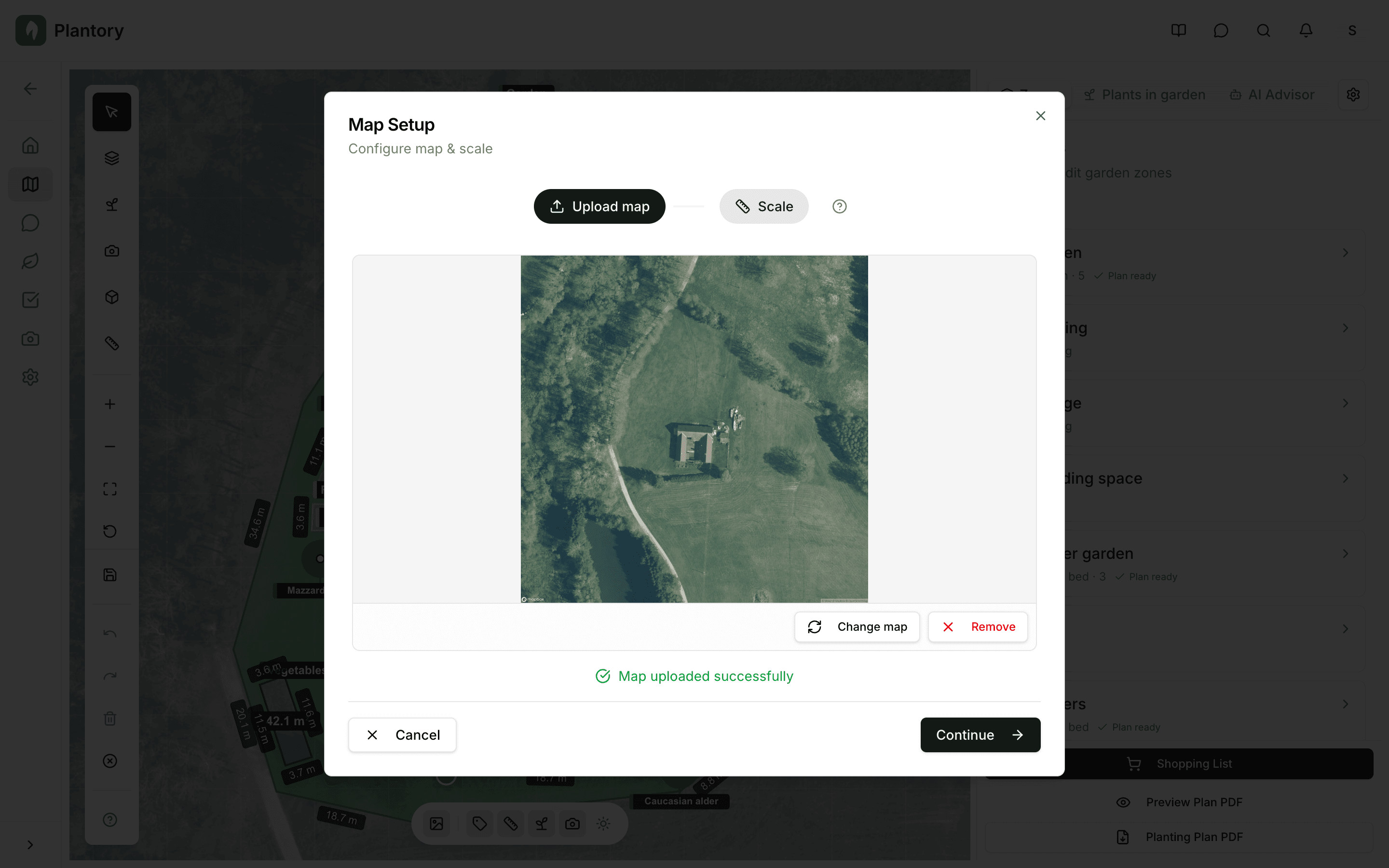
Setting the Scale
Scale calibration ensures that measurements in your plan match real-world distances. This is important for plant spacing and zone sizes.
Why scale matters
Accurate scale ensures plant spacing recommendations are correct. It also helps calculate zone areas and gives you realistic dimensions for your garden plan.
Automatic AI Detection
If you uploaded a cadastral map or satellite image with a scale bar, Plantory can automatically detect the scale. Click "Detect Scale" to try this feature.
Manual Calibration
If automatic detection isn't available, you can manually calibrate by drawing a line of known length.
Click 'Calibrate Manually'
This activates the calibration mode on your canvas.
Draw a reference line
Click two points on your image that represent a known distance (like a fence, building, or path).
Enter the real distance
Type the actual distance in meters between the two points you marked.
Apply the calibration
Click Apply to save the scale. All measurements will now be accurate.
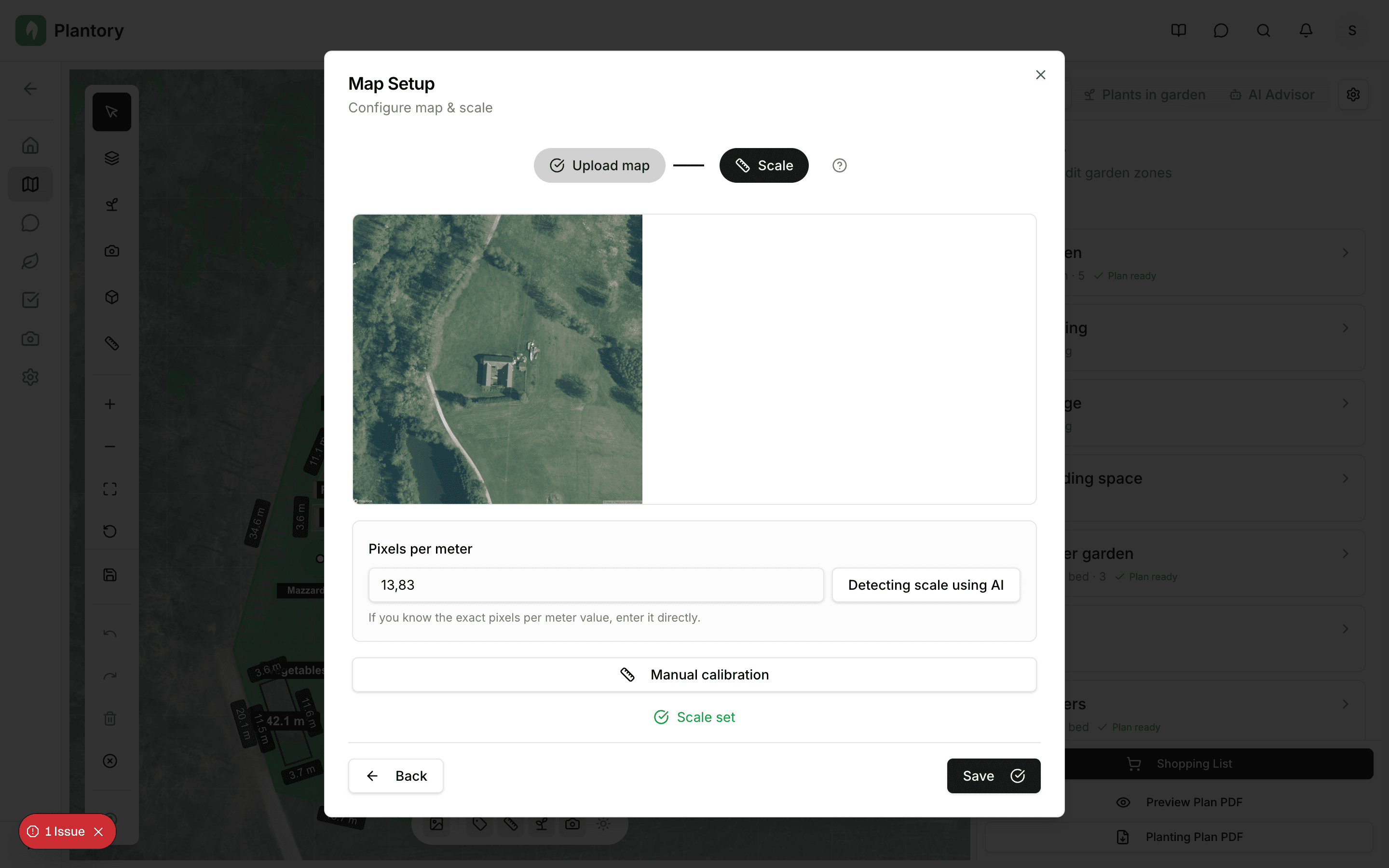
Climate Information
Based on your garden's location, Plantory automatically fetches relevant climate data to inform plant recommendations.
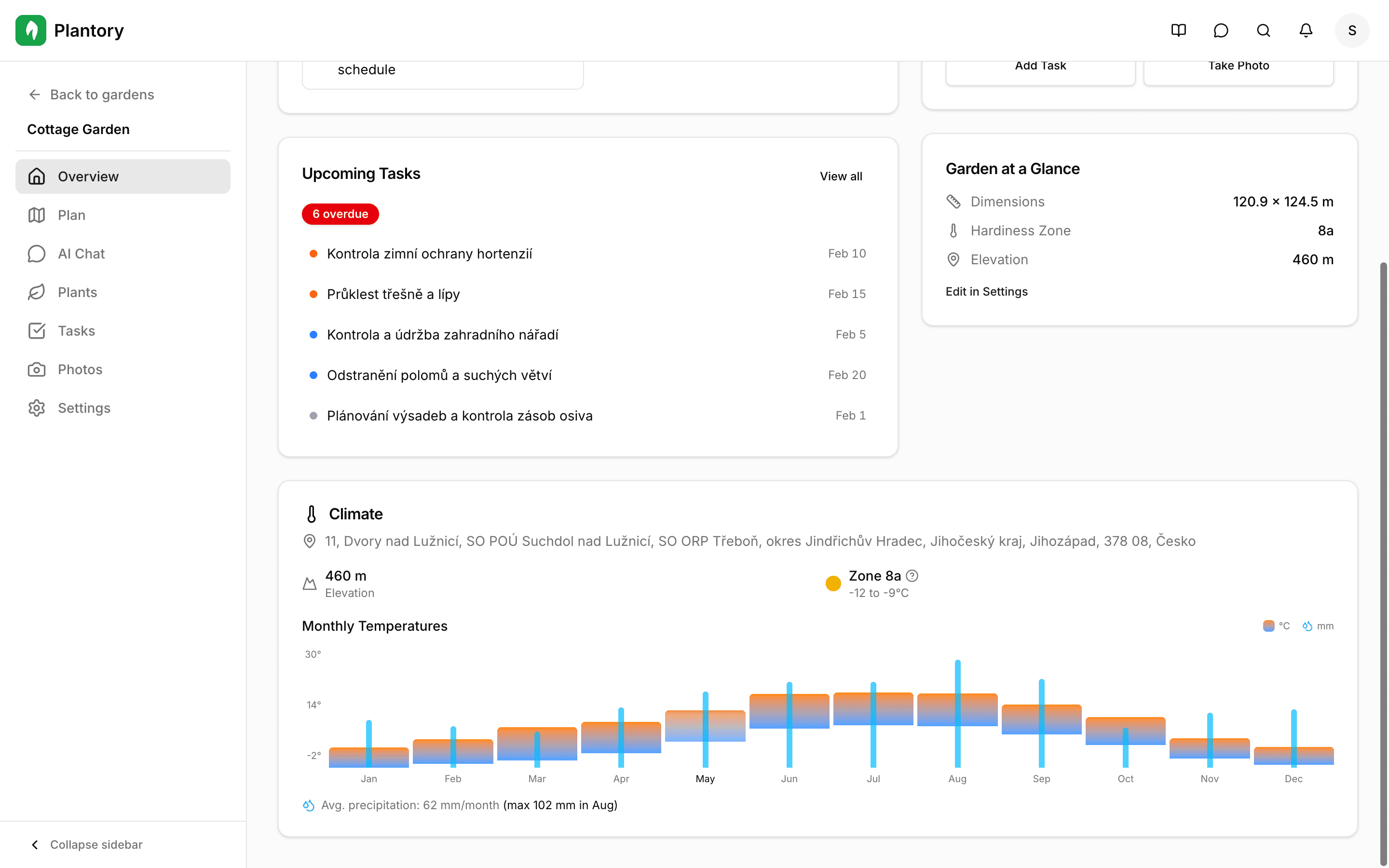
Climate data includes:
- USDA Hardiness Zone - Determines which plants survive winter
- Average temperature range - Annual temperature patterns
- Frost dates - First and last frost dates for your area
- Rainfall - Average annual precipitation
Microclimate considerations
Your actual garden may have microclimates that differ from regional data. South-facing walls, sheltered spots, and low-lying areas can all affect local growing conditions.
Settings Tab
You can edit basic garden information from the Settings tab:
- Garden name
- Soil type
- Address (and reload climate/elevation data)
The Settings tab also includes a Danger Zone section for irreversible actions like deleting a garden.